
ChatGPT Sweater Prompt for the AI Sweater Trend
Copy a ChatGPT sweater prompt, attach a clear selfie, and make a black-and-white portrait with one colored knit. See before-and-after results and photo tips.
Copy the ChatGPT sweater prompt
Attach a clear selfie in an image-capable chat, then paste this prompt. Replace emerald green in both places to use a different shade.
Use my uploaded photo as the face reference. Create a beautiful black-and-white close-up portrait of me wearing an oversized chunky-knit emerald green sweater. Have me hold the long sleeves up to my mouth, leaving my eyes visible. Keep my facial features, hairstyle, and the natural appearance of my eyes. Make everything black and white except the emerald green sweater and my irises. Make my iris color match the sweater while keeping the eyes realistic. Use soft studio lighting for a professional magazine-style photo. Show both hands slightly above the sleeves.
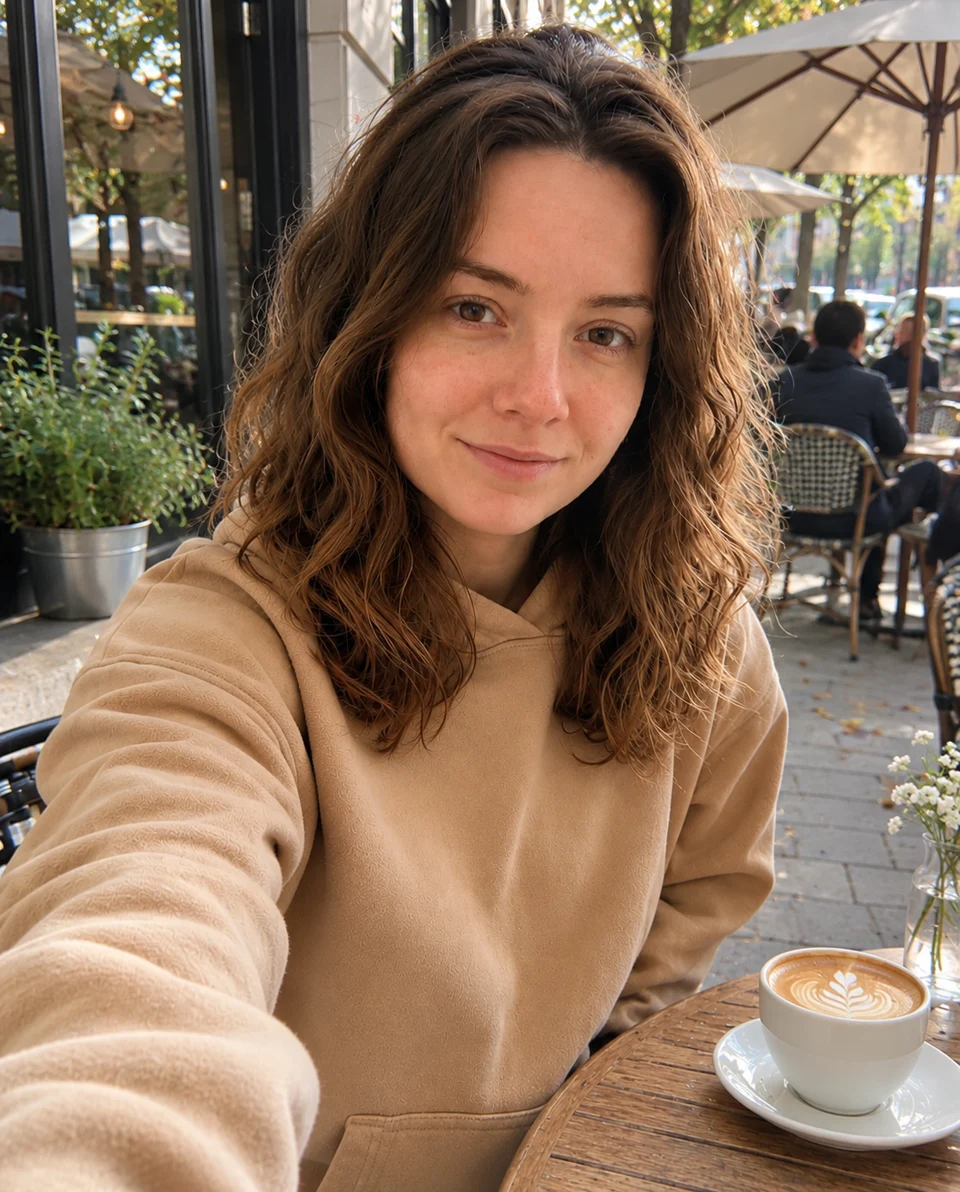
Before
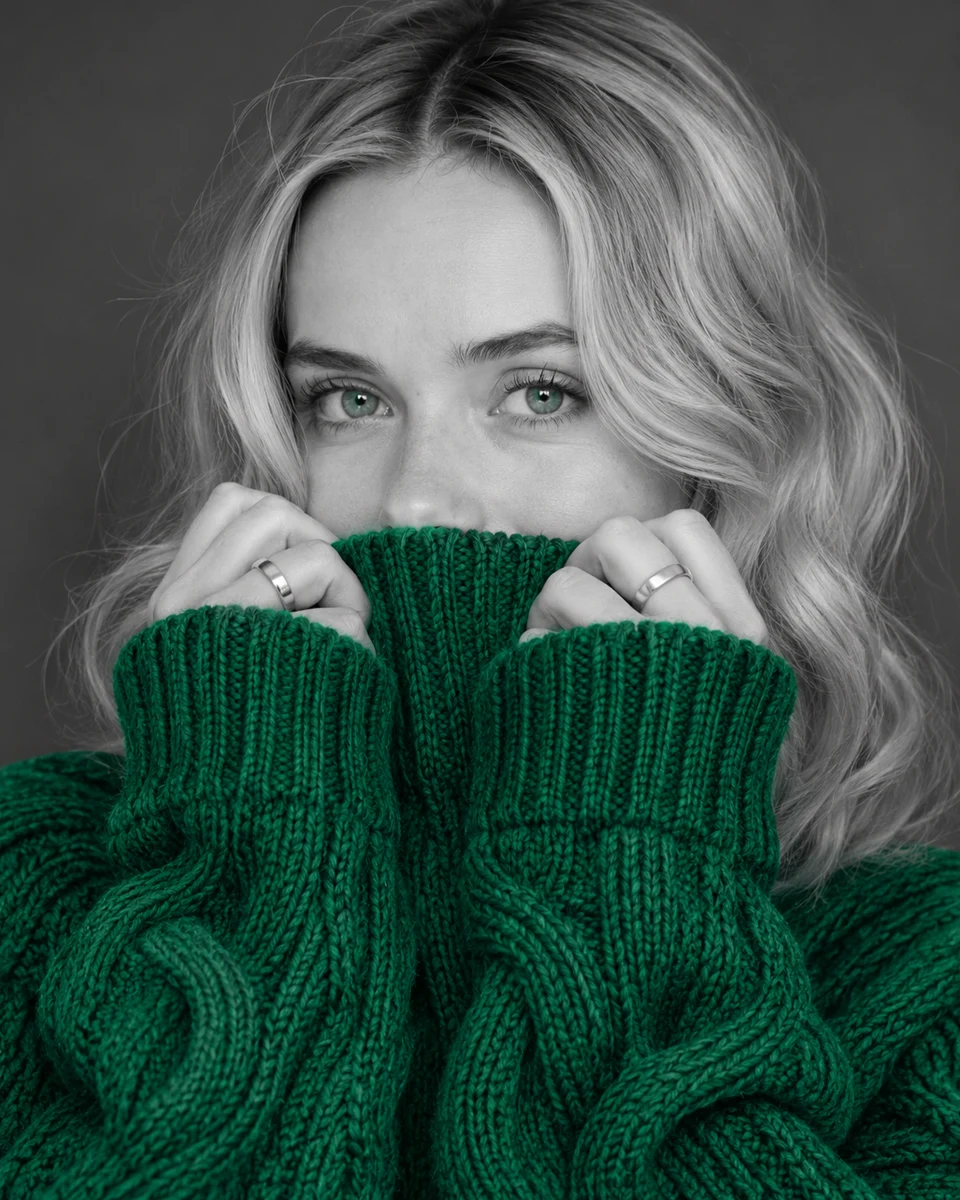
After
Which selfie works best with the ChatGPT sweater prompt?
Choose one front-facing or slightly turned photo. Even lighting and two visible eyes give the editor more facial detail to work from. Crop out other people, and avoid heavily filtered photos and sunglasses. Leave enough space around your head and shoulders for the new knit and lifted sleeves.
Change the sweater color
Replace both mentions of emerald green with the same shade. The studio offers Cherry Red, Royal Blue, Emerald Green, Lavender Purple, Rose Pink, and Ivory White. The prompt asks the editor to match the irises to the sweater. To keep your original eye color, replace that instruction with “Preserve the original iris color from my reference photo.”
Refine the result
- Too much of the image is in color. Specify that the skin, hair, hands, and background should stay grayscale. Keep your choice about iris color explicit.
- The sleeves cover the eyes. Ask for the cuffs to stop at the mouth, with both eyes visible above the fabric.
- The face looks different. Try a sharper reference, keep the crop close, and compare the eyes, eyebrows, and hairline at full size before sharing.
The prompt is free to copy. To use the preset here, open the studio, upload one photo, and select your color, frame, and resolution. See what the AI Sweater Trend looks like for the three-step workflow.